Stargate
If you don’t know what Stargate is, check What’s that Stargate thing anyway?
In order to interact with the Stargate, to read it’s state using redstone or communicate with CC:Tweaked computers, an interface is required.
Dr. Jackson's instructional video on Stargate
Symbols
Sometimes called glyphs, are used for address composition. Usually each galaxy has its own set of symbols. Optionally a player can enable unique_symbols in the Stargate Journey client config. When enabled, each solar system will have a slightly different symbols, usually following a common style within the galaxy. The used symbols can also be overridden by a stargate variant.
The unique_symbols configuration option was inspired by the original Stargate movie where the symbols for each solar system were different.
Each Stargate, except for the Universe, will pick the symbols of the local solar system when generated, or placed for the first time. Additionally, since the Pegasus Stargate is digital, it will change the symbols each time it is placed, unless dynamic symbols were disabled by a computer.
Each symbol represents a number that is used for a more user-friendly address representation. Zero always represents the point of origin and is at the end of every address.
There are 4 symbol sets for galaxies, and additional sets for each solar system, when unique symbols are enabled. Those are in the base mod, more symbols can be added by resourcepacks. The symbols below do not include points of origin, so the first symbol on the left represents the number one and the others follow sequentially.

 Pegasus
  Universal
 Kaliem
Point of Origin
The Point of Origin is a unique* symbol on each Stargate that represents the location from which the Stargate is dialing.
*There is a limited amount of point of origin symbols for each galaxy, so they are not exactly unique, but randomly chosen for each Stargate based on the current Solar System and Galaxy.
The point of origin can also be overridden by a stargate variant, or, in case of Pegasus Stargate, with a computer.
The point of origin always represents the number zero. To confirm dialed address, the point of origin (number zero) must be encoded at the end of every address.
Symbols and Symbol sets
“Symbols” are small collections of symbols unique for a solar system. Those symbols are used when the unique_symbols configuration option is enabled.
When unique symbols are disabled, Stargates fall back to symbol set to which the “symbols” collection belongs. Symbol sets contains all the symbols (or a subset) from their respective “symbols” collections, so they share the visual style. Usually each galaxy has its own symbol set and each solar system has its own “symbols” collection belonging to the galaxy’s symbol set. This results in all solar systems in a galaxy sharing the same symbols when unique symbols are disabled.
Energy supply
The primary source of energy for a Stargate is the Dial Home Device (DHD). From ancient times, each DHD contains a fusion core capable of providing power for common Stargate usage for a vast time. However, the fusion core cannot be refueled; once it runs out, it must be replaced. See the Dial Home Device (DHD) page for DHD crystal configuration and fusion core replacement options.
In addition to DHD, the Stargate can be powered directly using a cable (only on 1.21.1) or with an interface and any source of Forge energy (FE). Note that the Stargate itself has a large amount of energy capacity (1 TFE), if you connect a cable directly to the Stargate, it wont stop draining the power until its capacity is full. You can use the interface to limit the amount of power to which the Stargate should be charged using the Energy Target.

The Stargate interface must face the Stargate (the black side facing away from the Stargate). And there must be a power supply connected to the interface from any side. The image shows the naquadah generator connected to a basic interface with a small naquadah cable and an energy cube from Mekanism connected to the crystal interface with a universal cable.
Dialing
There are several ways to encode the address based on the stargate type used. The options are: Using a Dial Home Device (DHD), manual dialing with redstone, or using a computer from CC:Tweaked (Computercraft). When a computer is used, it can either rotate the gate encoding the symbol at the top, or engage the symbols directly, like a DHD. To engage a symbol in the same way as the DHD does, the computer requires the crystal interface (or the advanced crystal interface). For dialing using rotation, the basic interface is sufficient, but not every gate can be dialed with it.
Table below summarizes the available dialing methods for each Stargate type.
| Stargate type | DHD | Redstone | Computer | |
|---|---|---|---|---|
| Rotate | Engage | |||
| Classic Stargate | ||||
| Universe Stargate | ||||
| Milky Way Stargate | ||||
| Pegasus Way Stargate | ||||
| Tollan Stargate | ||||
1. Dialing using a Dial Home Device (DHD)
[Spoiler] Youtube video
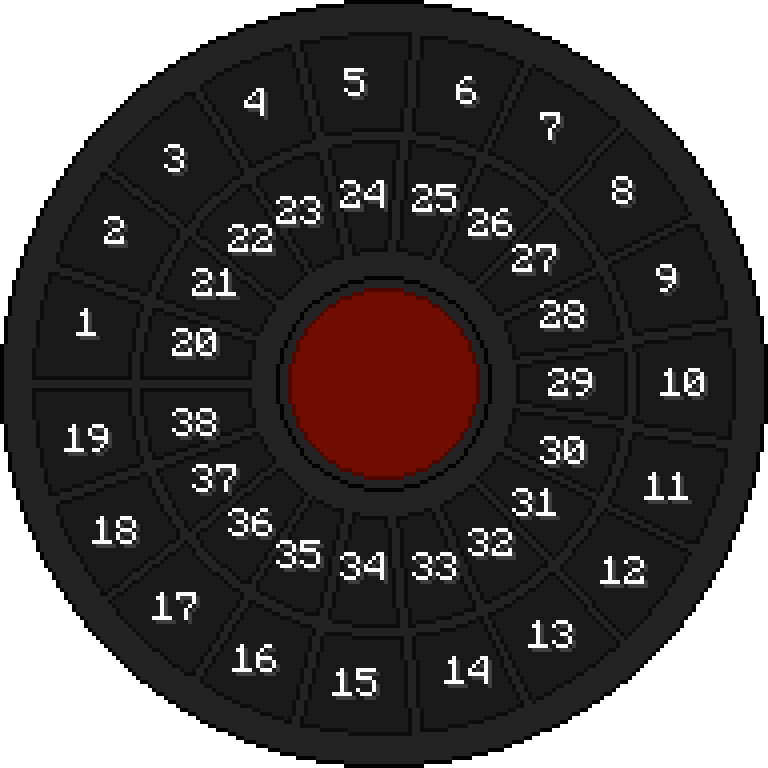
- First, place down the gate, and then place DHD anywhere near it.
The DHD with no communication crystal is able to connect to the gate within a 16-block range. - Right-click the DHD and enter the address (the order of the numbers matters).
Do not forget to enter the Point of Origin (number 0) at the end. - Finally, click the big red button in the middle to activate the gate.
2. Manual dialing with redstone
[Spoiler] Youtube video
Classic, Universe, and Milky Way stargates react to the redstone signal. Other stargates (Tollan and Pegasus) cannot be dialed with redstone.
When you place the gate, note the symbol under the top chevron, that is, the Point of Origin (PoO). You will need it later. That is not a case for the Universe Stargate.
| Redstone signal strength | Action |
|---|---|
| 0 | Nothing |
| less or equal to 6 | Anti-clockwise rotation |
| more or equal to 7 | Clockwise rotation |
| equal to 15 | Open chevron |
| change from 15 to 0 | Close chevron |
To dial the Stargate with redstone, provide power to the gate with a DHD or stargate interface. Use different redstone signal strengths to spin the ring and position the desired symbol under the top chevron. You can see the symbols and their order on the cartouche. Once the symbol is in place, use signal strength 15 to open the chevron and then cut the signal (change from 15 to 0) to close the chevron. No other redstone signal must be present on the gate. This way, the symbol will be encoded, and the next chevron will light up.
If you accidentally encoded a wrong symbol, you can encode the Point of Origin anytime, resetting the gate (as the encoded address will be invalid).
Once you have encoded all the symbols from the address, encode the Point of Origin to activate the Stargate.
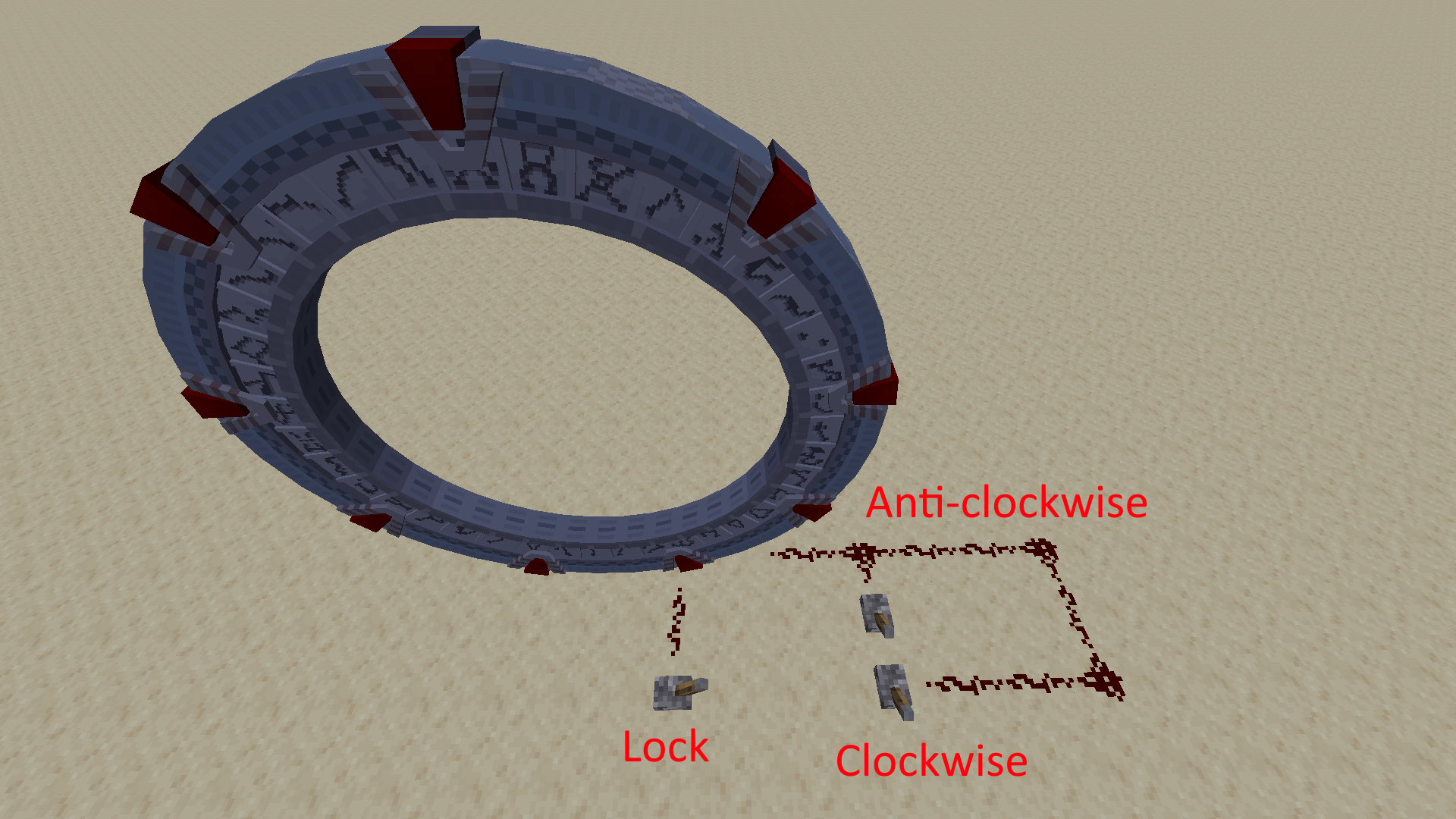
The observers in the image reacts to stone buttons resulting in two pulses moving the ring together by a single symbol.
3. Dialing using the Computercraft
[Spoiler] Youtube video
Stargate can be dialed using any computer (basic or advanced) from the CC:Tweaked mod. First, you will need a way to connect the computer to the Stargate. “Interfaces” act as computer peripherals and allow the computer to interact with the Stargate.


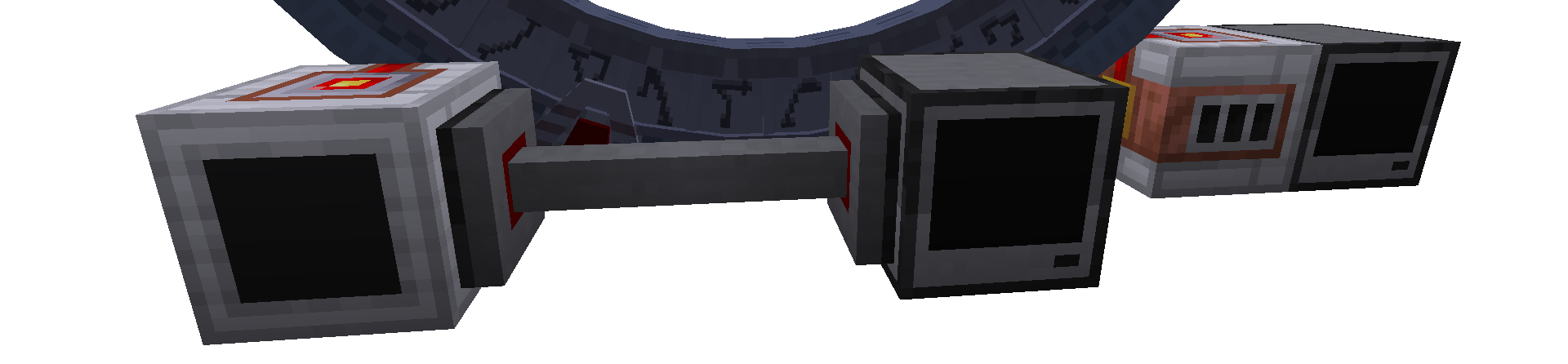
Place the interface facing the gate, ensuring that the black side is facing away from the gate. The interface can be placed anywhere right next to the gate. Then, place the computer next to the interface or connect it with a cable modem. Don’t forget to activate wired modems on both sides by right-clicking them.
The last thing you need is a program that will dial the gate. The minimal example follows. You can also check this repository for more examples. More complex programs with advanced features are created by the community and can also be found on the discord.
Let’s make a minimal example of a program dialing the gate with a hardcoded address.
To create a script, open the computer, enter the command edit dial.lua, and press Enter, opening the editor where you can write code.
Text after -- is a comment and has no effect in the code, so you don’t have to write it.
This example is meant for a Milky Way Stargate and a basic interface.
-- find the connected peripheral basic_interface
interface = peripheral.find("basic_interface")

-- make sure that the address ends with the PoO (zero)
address = {26, 6, 14, 31, 11, 29, 0} -- Abydos address as example

-- this three commands will reset the gate
-- clear currently encoded symbols
interface.disconnectStargate()
-- close chevron if its open
interface.closeChevron()
-- clear symbol if it got encoded by closing the chevron
interface.disconnectStargate()

-- now loop through the address and encode each symbol
for _, symbol in pairs(address) do
    -- tell the gate that it should spin the ring and position the symbol under the top chevron
    interface.rotateClockwise(symbol)
    -- now we need to wait for the gate to finish the rotation
    while (not interface.isCurrentSymbol(symbol)) do
        sleep(0) -- we do not want to do anything while waiting
    end

    sleep(1)
    -- wrapped in print() function to get the feedback number from the gate
    -- you can use advanced crystal interface to get feedback also as code names
    print(interface.openChevron())
    sleep(1)
    -- you can either explicitly call encodeChevron as follows
    -- or skip it and the encoding will take place automatically on closeChevron
    -- that's the difference between three-phase encoding and two-phase encoding
    -- it's really just aesthetics
    -- print(interface.encodeChevron())
    sleep(1)
    print(interface.closeChevron())
    sleep(1)
end
And that’s it: save the script, close the editor, and run it.
Press sequentially
Ctrl(brings up menu),Enter(select save),Ctrl(brings up menu),right arrow →(move to exit option),Enter(select exit option),
and enter the commanddial(the script’s name).
The gate should now start dialing the address from the script.
If you see an error, check the spelling of the script and the common errors section.
Dialing with DHD is the easiest way. You push few buttons, and you are ready to go.
Manual dialing with redstone might be time-consuming, but it is currently the only way to get the gate spinning without computers.
Computers are between the manual dialing and the DHD. They can spin the gate ring and dial automatically. In the later game phase, with a crystal interface, they can dial the gate without spinning (as DHD).
Natural Generation
Stargates generate only in pre-defined dimensions. By default, a single Stargate* generates in Overworld, Nether, The End, Stargate Journey dimensions, and Glacio from Ad Astra. Generation in other dimensions can be achieved with datapacks.
In the Overworld the Alpha Stargate is buried with a seal containing the address to the Abydos. The Stargate can be found with an archeologist’s help.
Survival Guide / Finding a Stargate can guide you through the steps.
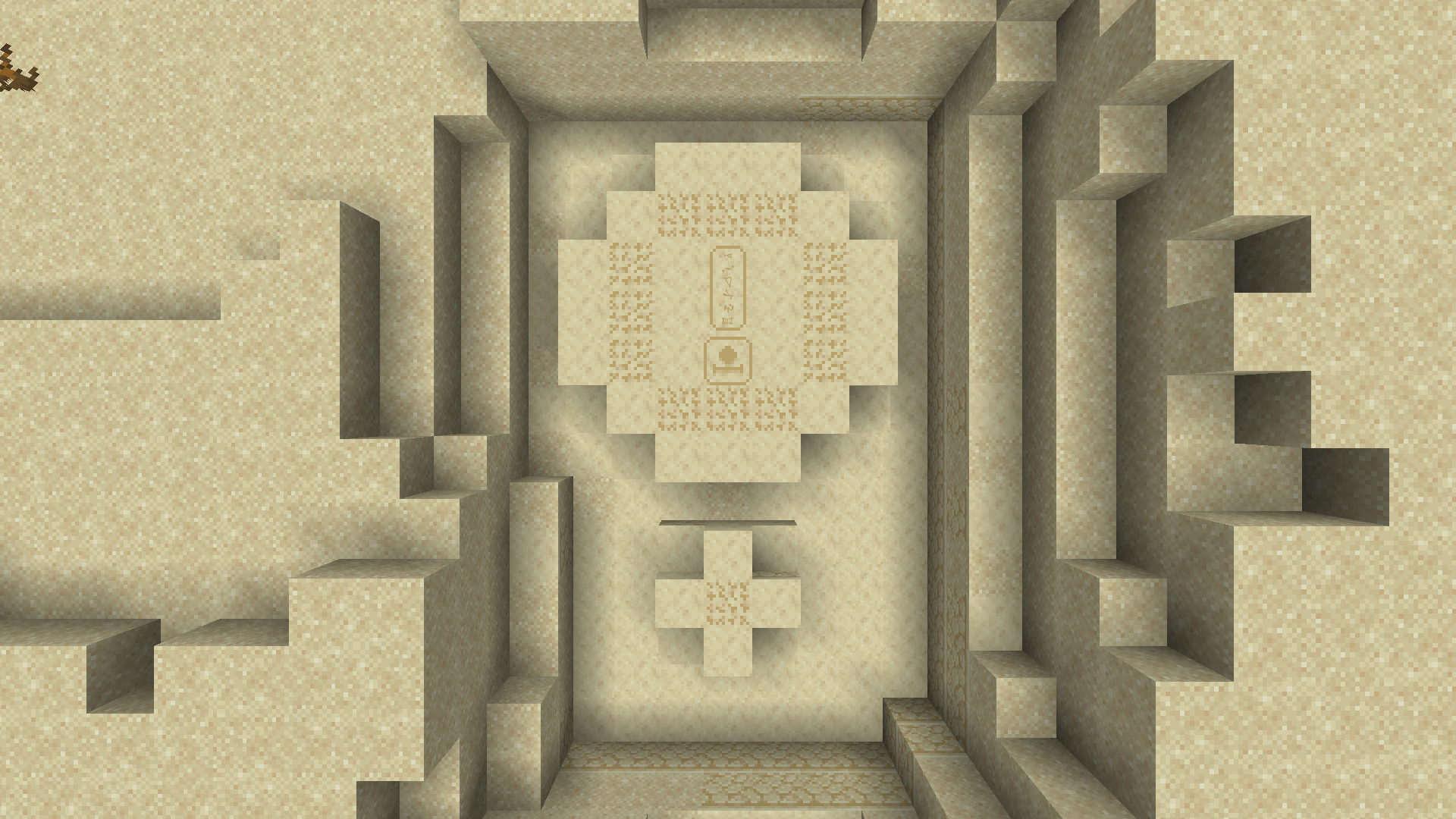
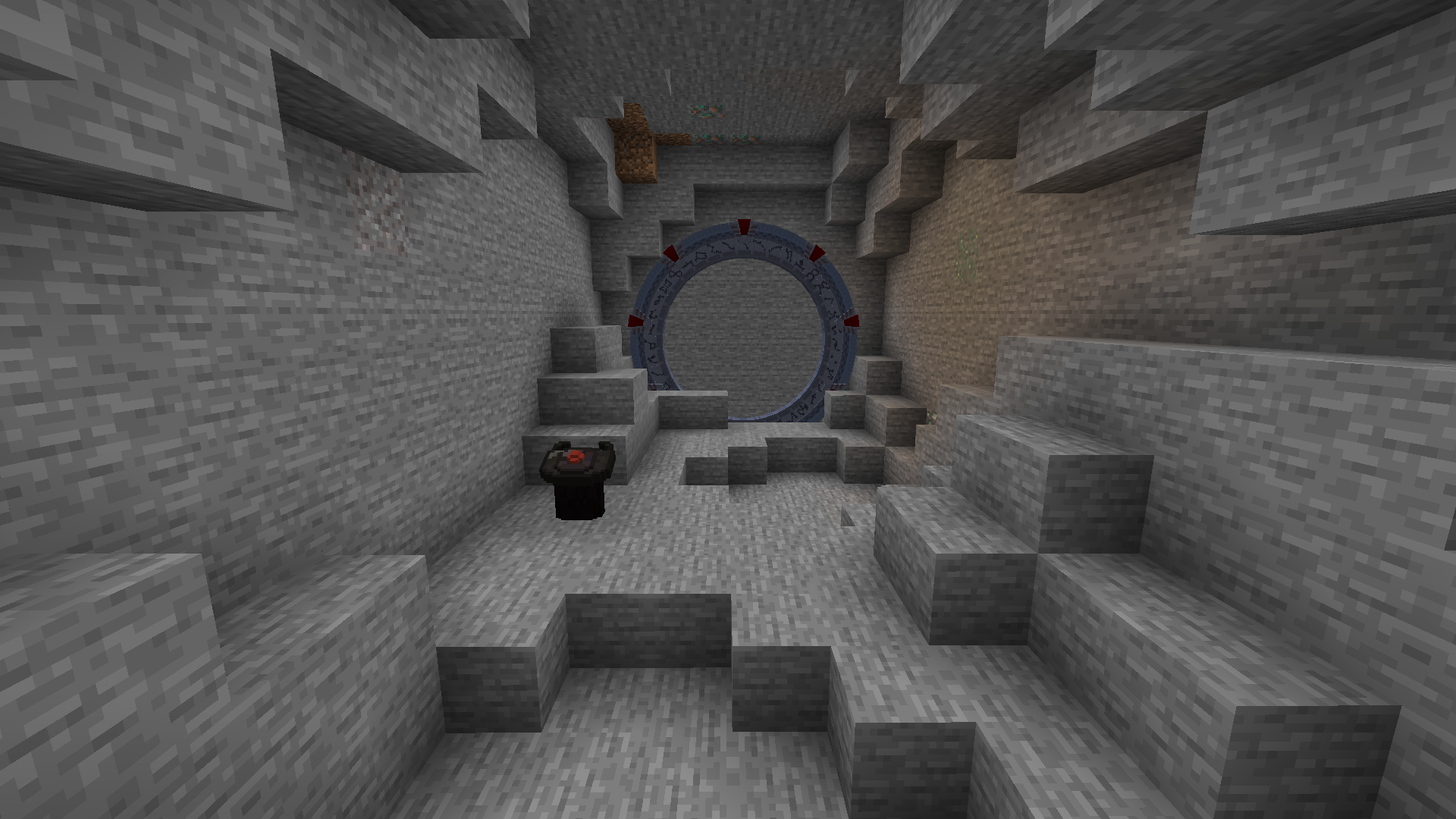
Beta Stargate
*There are two Stargates in the Overworld.
The first Stargate (Beta Stargate), originally built on Earth by the Ancients, was buried in ice for thousands of years in Antarctica. The SG-1 discovered this Stargate after the first Stargate in Egypt, hence the Beta Stargate. The Stargate found in Giza, Egypt, was the second Earth’s Stargate brought by the Goa’uld System Lord Ra. It was the first Stargate found (in 1928) and operated by SGC, hence the Alpha Stargate.
The Beta Stargate can be found in a cave. To find it, dial your Stargate to a different dimension and remove the DHD from your Stargate in the overworld. That way, the Beta Stargate in the cave will be the only Stargate in the overworld with a DHD and will take priority once you dial back to the overworld. However, that will only work when the Beta Stargate structure was already generated.
Crafting
The Classic Stargate can be created by building a structure described below. The Classic Stargate can be “upgraded” to other types using an upgrade crystal. The Stargate visuals can be changed with a variant crystal.
To build a Classic Stargate, you will need the following:
- 1x Classic Stargate Base Block
- 9x Classic Stargate Chevron Blocks
- 14x Classic Stargate Ring Blocks


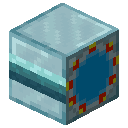



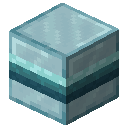
With the mentioned blocks, you need to build this structure:
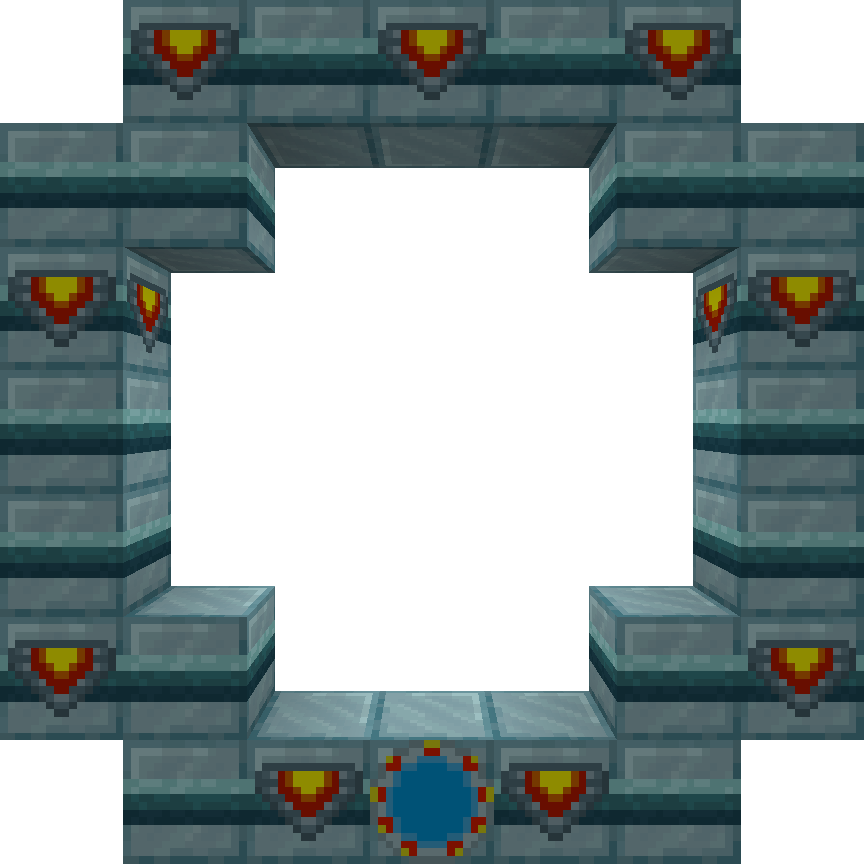
The Classic Stargate will form from the structure once you right-click the Classic Stargate Base Block with an empty hand.
Address choice
When the address choice is allowed in the Stargate Journey Common config (enable_address_choice, it is disabled by default), the base block can be right-clicked with a renamed control crystal, the 9-chevron address from the name of the control crystal will be used for the Stargate. The crystal can be renamed in the vanilla anvil and the name needs to follow the format -1-2-3-4-5-6-7-8-.
Stargate generations
Ancients developed 3 generations of Stargates over time. Starting with Universe Stargate, the generation 1, improving the Stargate in generation 2 for the Milky Way galaxy and digital generation 3 built for the Pegasus galaxy. Tollans and Nox built their own “Tollan Stargate” based on the generation 2 Stargates in the Milky Way galaxy.
All four Stargate types are available in the mod alongside with the Classic Stargate introduced as the generation 0 which was inspired by the SGCraft mod.
Below is description for each Stargate type and their variants available in the base mod. Note that datapacks and resourcepacks can add more custom variants.
Classic Stargate
Generation 0
Classic dialing sequence video
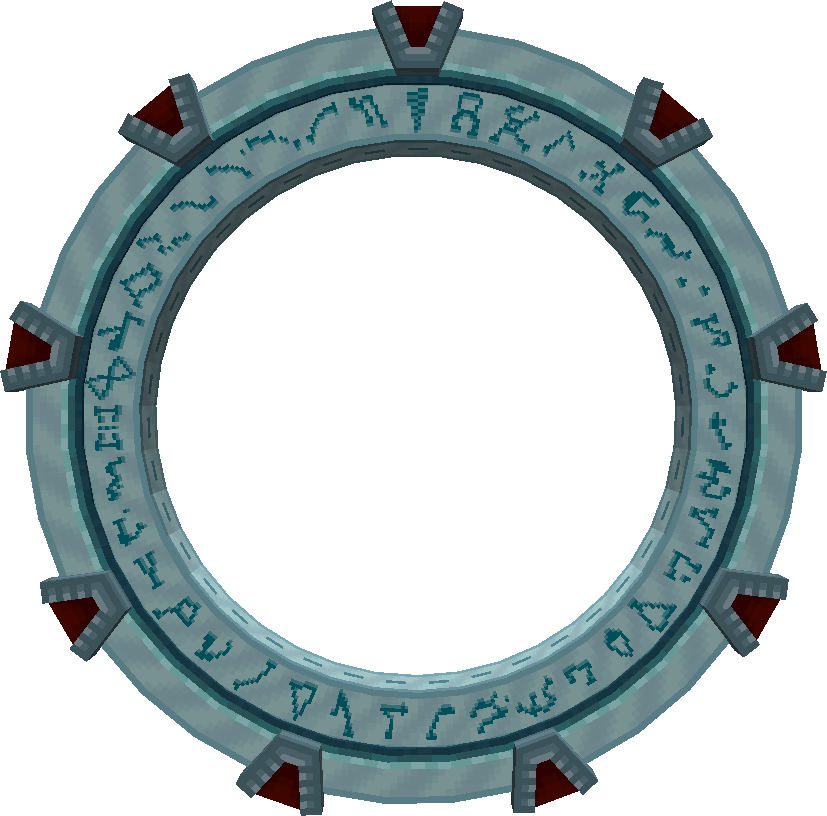
Initially inspired by the SGCraft mod.
The Stargate has 38 physical symbols (+ point of origin). Can’t dial Symbols above 38. It can be dialed by rotating the ring with a redstone or any interface. Additionally, can also be dialed by directly engaging the symbols with a DHD or a crystal interface.
When generated or placed for a first time, the Stargate will use the symbols of the solar system and will keep them even after breaking. The only way to change them on an existing Stargate is with a command or a variant that overrides the symbols.
The available variants can be found at Stargate Technology / Crystals / Variant crystals.
| DHD | Redstone | Computer | |
|---|---|---|---|
| Rotate | Engage | ||
Universe Stargate
Generation 1
Dialing sequence video
The first Stargate created by the ancients. Those Stargates were automatically built by seed ships and distributed along their path. Universe Stargates are not much durable and are created from common materials collected by the ships from common planets.
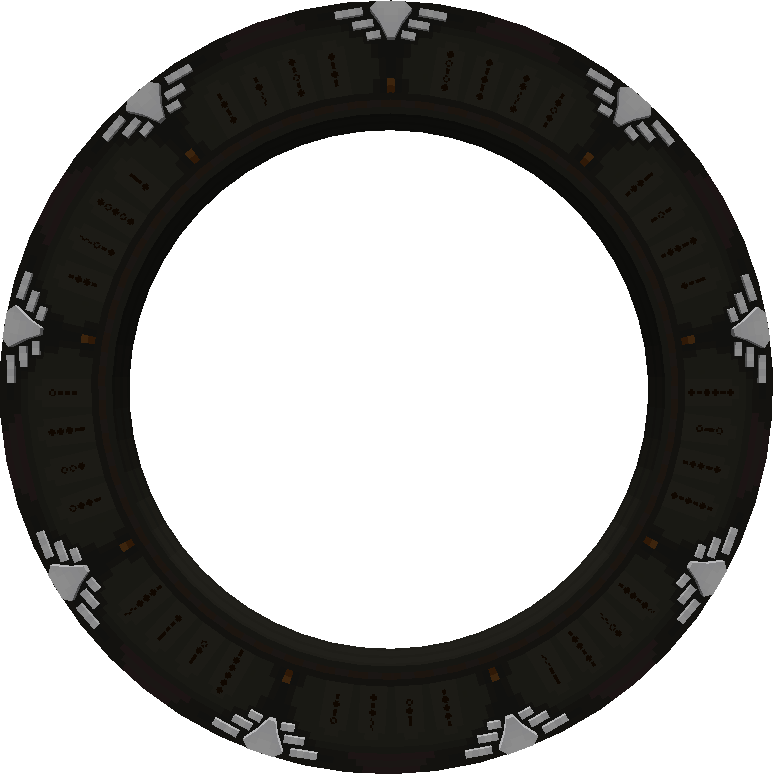
The Stargate has only 35 physical symbols (+ point of origin). Can’t dial symbols above 35, unless Symbol remapping is used. The Stargate has always the Universal symbols, unless changed by a Stargate variant.
The whole Stargate rotates during dialing, always encoding the symbol at the top. It can be dialed by rotating the ring with a redstone or any interface. Additionally, can also be dialed by directly engaging the symbols with a (advanced) crystal interface.
| DHD | Redstone | Computer | |
|---|---|---|---|
| Rotate | Engage | ||
Milky Way Stargate
Generation 2
Dialing sequence video
A second generation of Stargates built by the ancients. The Stargate is made primarily of naquadah, which allows it to hold a large amount of energy and be quite durable, even withstanding a meteorite impact. Those Stargates are known to be located in the Milky Way galaxy.
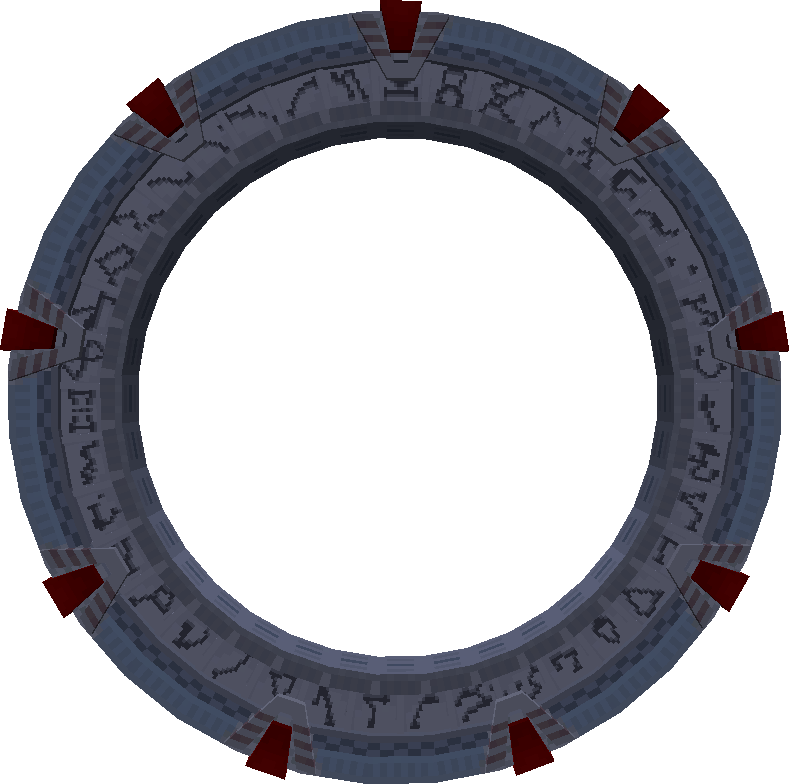
The Stargate has 38 physical symbols (+ point of origin). Can’t dial Symbols above 38.
The Stargate ring can rotate when powered by redstone or when instructed to by a computer.
It can be dialed by rotating the ring with a redstone or any Stargate interface. Additionally, can also be dialed by directly engaging the symbols with a DHD or a (advanced) crystal interface.
When generated or placed for a first time, the Stargate will use the symbols of the solar system and will keep them even after breaking. The only way to change them on an existing Stargate is with a command or a variant that overrides the symbols.
The available variants can be found at Stargate Technology / Crystals / Variant crystals.
| DHD | Redstone | Computer | |
|---|---|---|---|
| Rotate | Engage | ||
Tollan Stargate
Generation 2
Dialing sequence video
The Tollan Stargate was built by Tollans and Nox based on the second generation of Stargates in the Milky Way galaxy. There is only one known Stargate of this type on the home planet of Tollans.
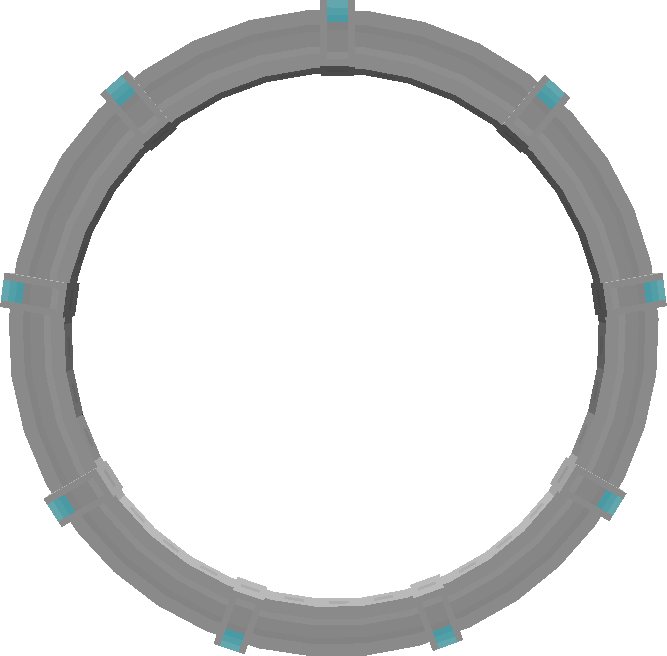
The Stargate has no symbols on it. But it can dial any Symbol.
It cannot be dialed with redstone nor using a rotation with a Stargate interface. The Stargate can be dialed only by directly engaging the symbols with a DHD or a (advanced) crystal interface.
| DHD | Redstone | Computer | |
|---|---|---|---|
| Rotate | Engage | ||
Pegasus Stargate
Generation 3
Dialing sequence video
The newest Stargates built by the ancients are known to be located in the Pegasus galaxy. They are digital, have no moving parts and cannot be manually dialed.
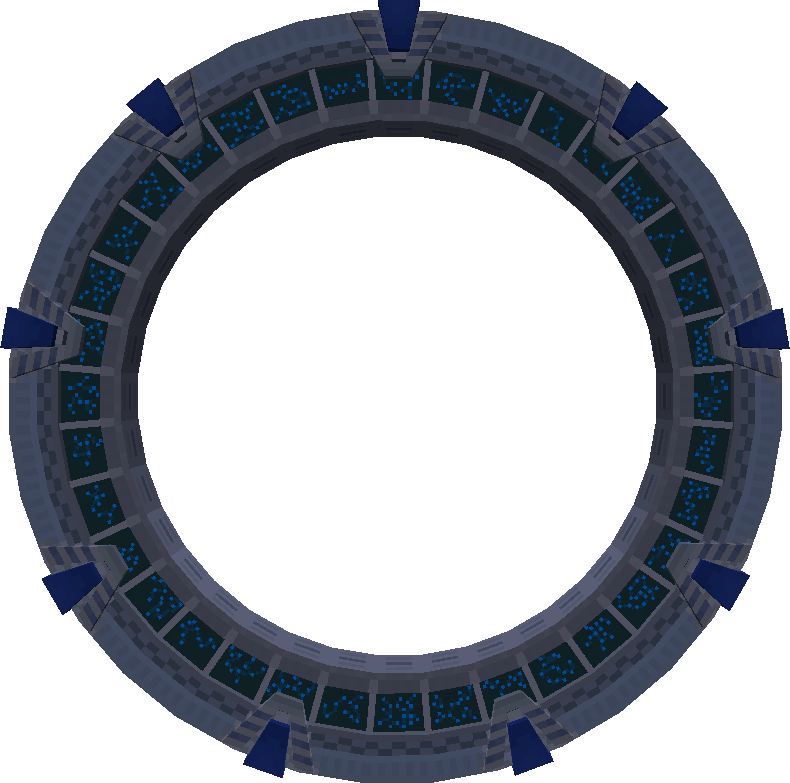
The Stargate has only 36 digital symbols (+ point of origin). But it can dial any Symbol.
It cannot be dialed with redstone nor using a rotation with a Stargate interface. The Stargate can be dialed only by directly engaging the symbols with a DHD or a (advanced) crystal interface.
The Pegasus Stargate will change its symbols to the current solar system each time it is placed. This behavior can be disabled with a computer by disabling dynamic symbols and/or overriding them. The symbols can also be overridden by a Stargate variant.
The available variants can be found at Stargate Technology / Crystals / Variant crystals.
| DHD | Redstone | Computer | |
|---|---|---|---|
| Rotate | Engage | ||
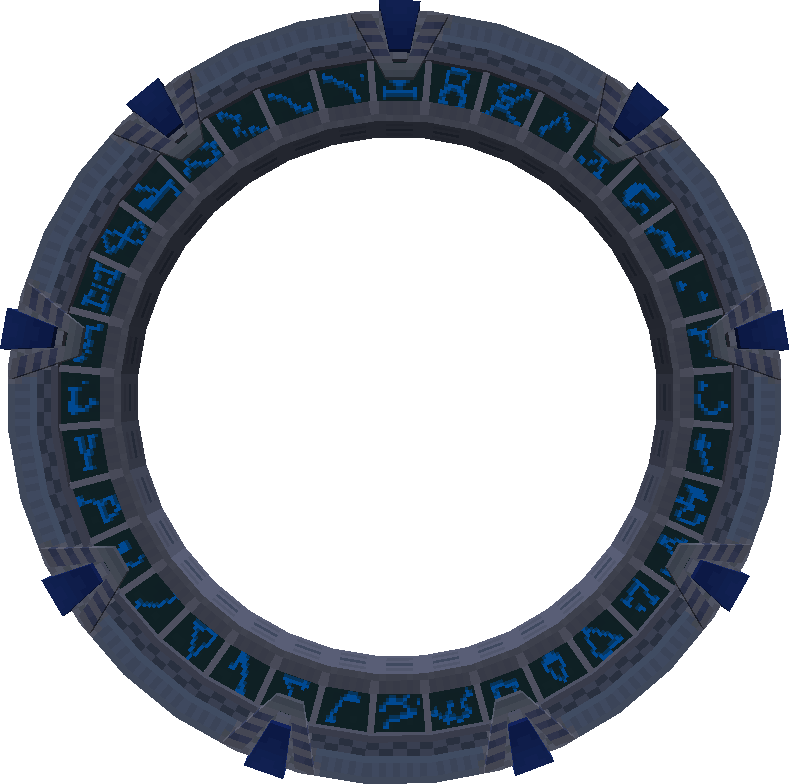
Pegasus Stargate with Milky Way symbols
This is not a variant.
By default, the Pegasus Stargate picks the symbols of the galaxy it is currently placed in. This is how it looks like when placed in the Milky Way galaxy.
Network restrictions
Each Stargate can be in one or more networks. Each such network is identified by a number (integer). Initially a Stargate is in a network matching the generation of the Stargate and network restrictions are disabled, meaning the Stargate can connect to any other Stargate.
Networks of the Stargate can be changed either using Communication Crystals placed in the DHD or using computers.
Network restrictions can be enabled by placing a Control Crystal into the DHD or using computers.
When network restrictions are activated, the Stargate can connect only to Stargates that are at least in one matching network. The restrictions apply to both incoming and outgoing connection.
Symbol remapping
Certain Stargate types have a limited range of symbols they can encode. Classic and Milky Way Stargates are limited to 38 symbols.
And mainly the Universe Stargate is limited only to 35 symbols.
Symbol remapping allows the Stargate to represent any symbol using any other available symbol. The only exception is the Point of Origin (symbol 0) which must not be remapped.
DHD is capable of automatic symbol remapping when advanced protocols are active. To activate advanced protocols, insert Large Control Crystal into the center of the DHD’s crystal inventory.
Alternatively, symbol remapping is also available to computers using a crystal interface.
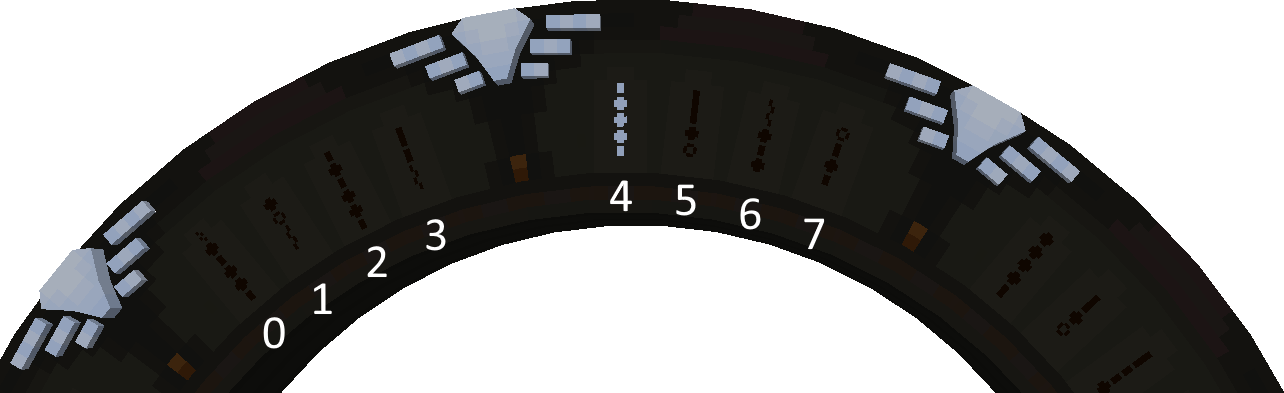
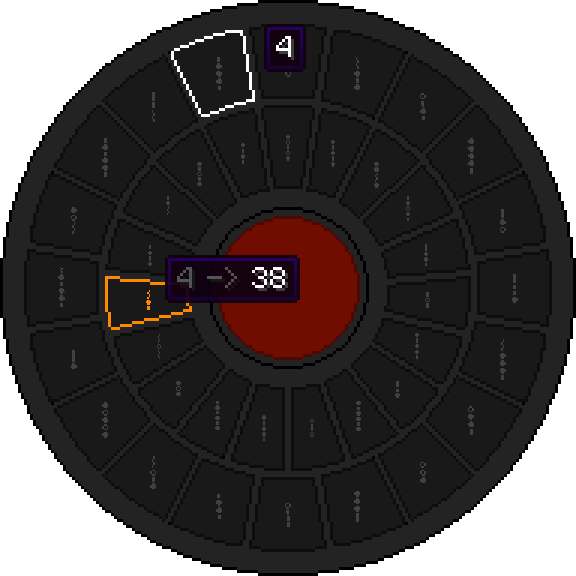
The image below shows Milky Way DHD connected to a Universe Stargate. The DHD needed to encode the symbol 38 which is not physically present on the Stargate. The DHD activated symbol remapping and remapped symbol 4 to symbol 38. Physically on the Stargate, the symbol 4 was encoded, however, thanks to the remapping, symbol 38 was added to the address that is being dialed.
If the DHD attempted to encode symbol 4 now, it would be again remapped to a different available symbol, because 4 was already used to encode a different symbol.
Stargate Feedback
Stargate is a complicated device which can enter numerous states and a lot of things can go wrong. Feedback system is in place to provide a list of status codes (and their description) indicating the result of the last action the Stargate performed. A value above zero indicating a success and value below zero an error.
To read the last feedback, right-click the Stargate with PDA, the Stargate information will be printed to the chat. Alternatively, computers can read the feedback and obtain it as a result of some commands. See the computercraft documentation for the Stargate interface for details.
The most recent list of feedback codes can be found in the source code at GitHub / StargateInfo.
The codes are formatted as
FEEDBACK_NAME ( feedback_code_number, feedback_type, feedback_name )
Below, you can find a list explaining some of the feedback errors.
-
unknown- “Unknown Error” - The unknown error is a result of a faulty and unexpected behavior of the Stargate network. Please report any occurrence, include description of actions that caused it and the log from the session (or server). GitHub issues or Discord -
symbol_in_address- “Symbol X is already encoded” - This error indicates that the symbol is already encoded in the current address. A single symbol cannot be present in the address twice. This feedback can often be observed while using 3-way chevron encoding using a computercraft where both actionsencode chevronandclose chevronattempts to encode the current symbol, resulting in two encodings of the same symbol. In such case this feedback can be ignored when returned from theclose chevronaction. -
symbol_out_of_bonds- “Symbol X is out of bounds” - The Stargate cannot encode the symbol. Happens, for example, when trying to encode a symbol above 35 on Universe Stargate and the symbol remapping is not available. -
encode_when_connected- “Cannot encode Symbols when connected” - An attempt to encode a symbol failed because the Stargate already has an active connection. -
incomplete_address- “Incomplete Address” - The encoded address had less than 7 symbols or was missing the Point of Origin. The PoO is not a standalone symbol on the DHD, see the FaQ. -
invalid_address- “Invalid Address” - The address is not valid. Happens when the 7-chevron address does not exist in the current galaxy (it may exist in a different galaxy), or the 8-chevron (or 9-chevron) address does not exist at all. If you are sure that the address is correct, but you did not obtain it in-game, it is possible that your game is configured to generate addresses randomly. If you are using 7 chervon address, verify that it is an address for your current galaxy, otherwise you need to use 8 or 9 chevron address. -
not_enough_power- “Not enough power (X required)” - The Stargate does not have enough power to establish a connection to the destination. You can check the amount of power inside the Stargate in the DHD inventory, by hovering the cursor over the red rectangle; using PDA on the Stargate or using computercraft.
Dialing Stargates in a different galaxy using 8 or 9 chevron addresses requires a lot of power (100 000 000 000FE by default). In some situations when a new dimension is created in an existing world (e.g. using RFTools Dimensions) the dimension may be registered outside of any galaxy and lack 7 and 8 chevron address. In such case, the dimension is “floating” somewhere between galaxies and connections to it are considered intergalactic as well. -
self_obstructed- “Local Stargate is obstructed” - The local Stargate is obstructed by blocks. Remove blocks from the inside of the Stargate and try dialing the address again. -
target_obstructed- “Target Stargate is obstructed” - The destination Stargate is obstructed by blocks. You will need to find the Stargate first and break the blocks. -
same_system_dial- “Cannot dial the same Region” - The Stargate cannot dial the same Solar System (Address Region) it is currently in. To dial a Stargate in the same region, use 9 chevron address (can be restricted by the mod config, allowed by default). -
already_connected- “Target Stargate is already connected” - The target (destination) Stargate has an already active connection. You need to wait until the connection is closed and the target Stargate becomes available. -
no_galaxy- “Stargate is not located inside any Galaxy” - This code should not happen in SGJ 0.6.45 or later.
The Stargate is not located in a galaxy. This could indicate a solar system misconfiguration from datapacks. Or possibly the current dimension was dynamically added, you can try executing the stellar update. -
no_dimensions- “Dialed Region has no Dimensions” - The dialed Solar System (Address Region) has no dimensions. This indicates an address region misconfiguration from datapacks or other mods. -
no_stargates- “Dialed Region has no Stargates” - The dialed Solar System (Address Region) has no Stargates. Note that not every dimension automatically generates a Stargate. You need to reach the dimension by other means and place a Stargate there yourself.
See datapacks section for options to add a Stargate generation to a new dimension. -
self_restricted- “Local Stargate is restricted” - The local Stargate is in a restricted network and cannot connect to other Stargates outside the same network(s). If the local Stargate is in netowrks1and23, and is restricted, it can only connect to Stargates that are either in network1or23.
See Network restriction for more information. -
target_restricted- “Dialed Stargate is restricted” - The target (destination) Stargate is in a restricted network and cannot connect to other Stargates outside the same network(s). If the target Stargate is in netowrks1and23, and is restricted, it can only connect to Stargates that are either in network1or23.
See Network restriction for more information. -
invalid_8_chevron_address- “8-chevron address can’t dial within the same Galaxy” - 8 chevron address cannot be used to dial a solar system in the same galaxy. You need to use the 7 chevron address. This behavior can be changed in the mod config file. -
invalid_system_wide_connection- “Cannot connect within the same Region” - Stargate cannot dial other Stargate in the same Solar System (Address Region). This behavior can be changed in the mod config file (system-wide connections are allowed by default). -
target_not_whitelisted- “Target Stargate is not whitelisted” - The local (dialing) Stargate has active address filter and the dialed address is not whitelisted.
See computercraft compatibility on how an address can be added to the whitelist. -
not_whitelisted_by_target- “Stargate is not on Target Stargate’s whitelist” - The target (destination) Stargate has active address filter and the address of the local (dialing) Stargate is not whitelisted.
See computercraft compatibility on how an address can be added to the whitelist, the address has to be added on the target Stargate. -
target_blacklisted- “Target Stargate is blacklisted” - The local (dialing) Stargate has active address filter and the dialed address is blacklisted.
See computercraft compatibility on how an address can be removed from the blacklist. -
blacklisted_by_target- “Stargate is on Target Stargate’s blacklist” - The target (destination) Stargate has active address filter and the address of the local (dialing) Stargate is blacklisted.
See computercraft compatibility on how an address can be removed from the blacklist, the address has to be removed on the target Stargate. -
exceeded_connection_time- “Stargate has exceeded its max connection time” - Stargate connection was closed because the maximum connection time run out. (228seconds by default,3.8minutes) -
ran_out_of_power- “Ran out of power” - The connection was closed because the Stargate run out of power to maintain it. -
wrong_disconnect_side- “Stargate cannot be disconnected from this side” - The connection can only be disconnected from the dialing (source) side. This behavior can be changed in the mod config. -
connection_forming- “Cannot disconnect Stargate while a Connection is forming”
-
stargate_destroyed- “Stargate was destroyed” - The target (destination) Stargate was destroyed. -
could_not_reach_target_stargate- “Could not reach target Stargate” - The connection was closed because the target (destination) Stargate become unreachable. -
interrupted_by_incoming_connection- “Stargate was interrupted by incoming connection” -
rotation_blocked- “Rotation is blocked by open chevron” - Close the chevron to allow the Stargate to rotate. -
not_rotating- “Failed to stop rotation, not rotation” - The rotation cannot be stopped because the Stargate is not rotating. -
chevron_already_opened- “Chevron is already opened” - Cannot open the chevron, it is already opened -
chevron_already_closed- “Chevron is already closed” - Cannot close the chevron, it is already closed -
chevron_not_open- “Chevron not open” - Attempt to encode the current symbol failed because the chevron is not opened. Open the chevron first. -
target_not_loaded- “Target Stargate is not loaded” - Target Stargate was not being loaded by any players or chunk loaders and the mod failed to load it, or Stargate loading is disabled in the mod config. -
self_outside_stargate_network- “Stargate is outside the Stargate Network” - The local (dialing) Stargate is not registered in the Stargate Network. Try to break the Stargate and place it again. If the Stargate will not be registered in the network, please report the bug on GitHub issues or Discord. -
target_outside_stargate_network- “Target Stargate is outside the Stargate Network” - The target (destination) Stargate is not registered in the Stargate Network. Try to break the target (destination) Stargate and place it again. If the Stargate will not be registered in the network, please report the bug on GitHub issues or Discord.